The Backup Wizard is an automated backup feature available within cPanel. You can use it to create a full backup of your entire site (including your databases) or a backup of only certain elements.
1. Log in to your hosting Cpanel dashboard: E.g, https://www.yourdomain.com.my/cpanel
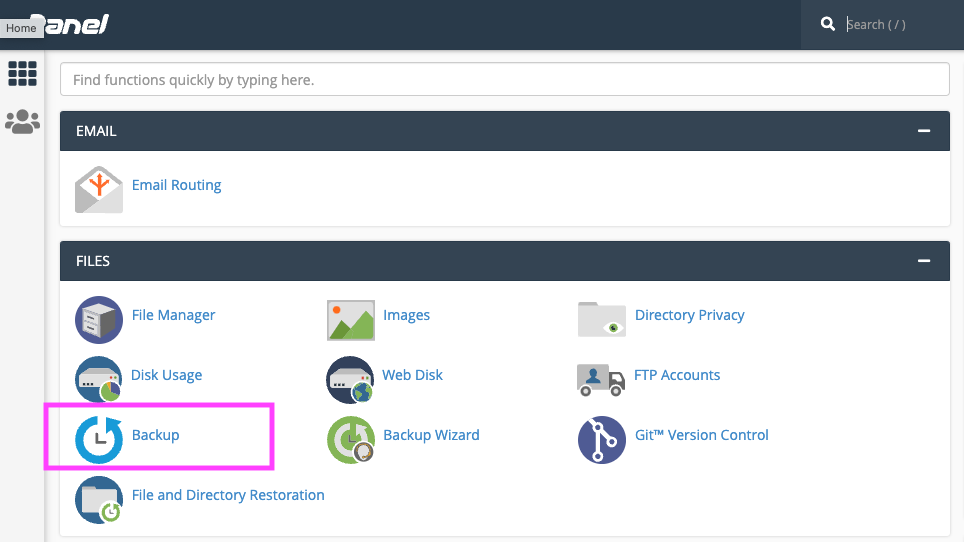
2. From the Files section, click on the Backup icon.
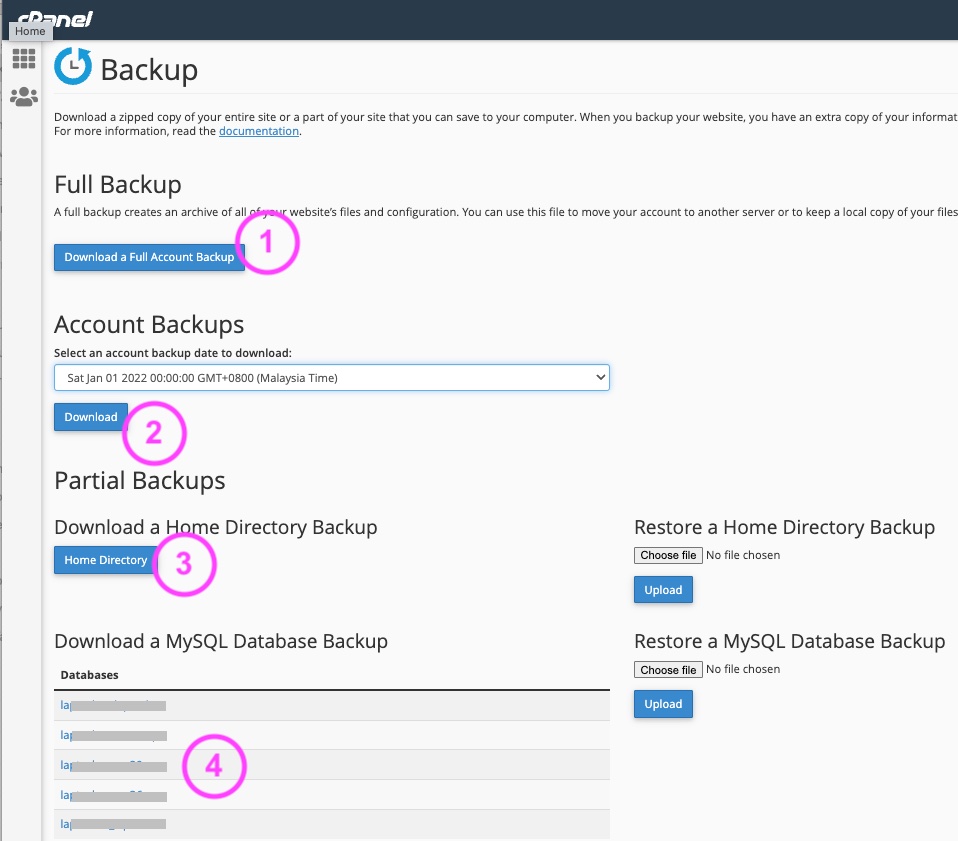
On the Backup screen, you will able to perform download both website and MYSQL database.
To perform backup for
1. To perform full site backup. This might take some time to produce the full site backup
2. Download full server backups (which was perviously backup ready from Backup Wizard)
3. Download Home Directory. This is general to have all your website files located in your /public_html folder.
4. Download MYSQL database. Click the MYSQL database name to begin download.