It is important to regularly back up your most important web files on your local computer or alternative disk drive. HostPapa offers a very easy to use Backup Wizard within your cPanel control panel. The Backup Wizard allows you to create a backup of your entire site or just parts of it. You can then use the File Manager to download the backup file onto your computer.
1. Log in to your hosting Cpanel dashboard: E.g, https://www.yourdomain.com.my/cpanel
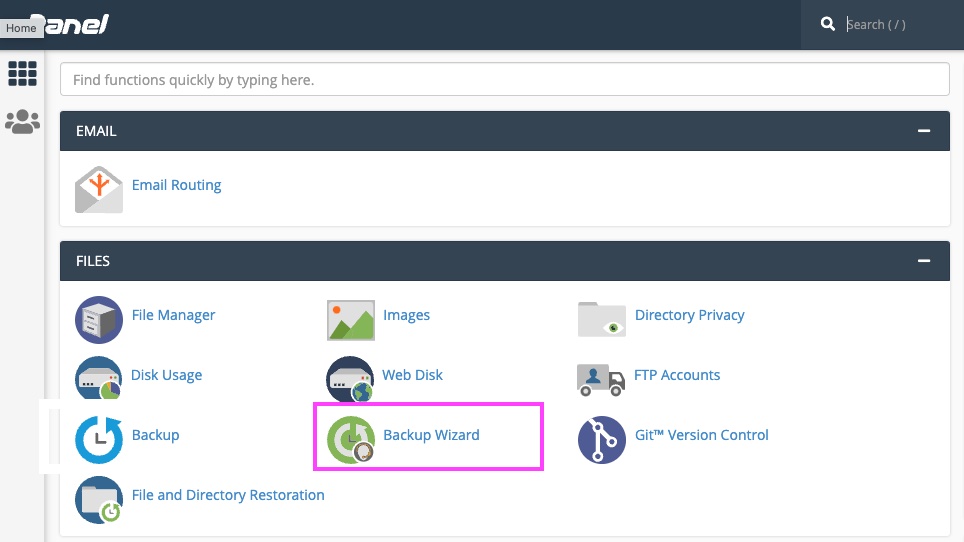
2. From the Files section, click on the Backup Wizard icon
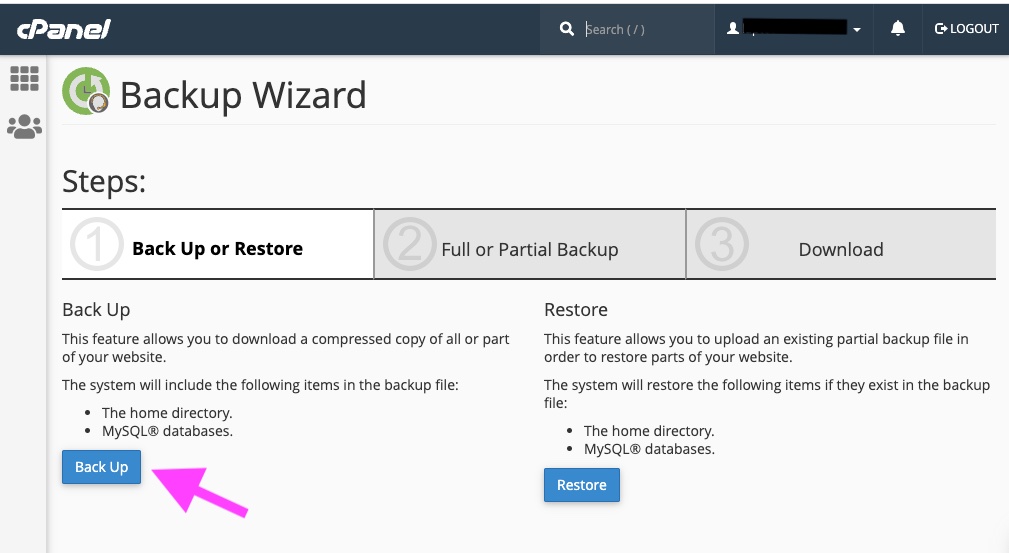
In the Backup Wizard screen, you will see 3 Steps for the backup option.
In Step 1, click Backup.
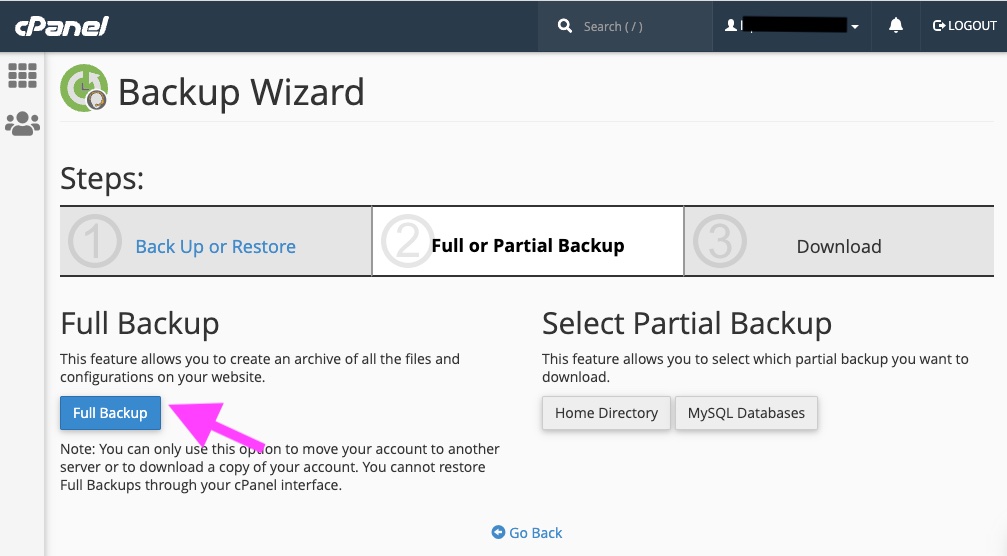
In Step 2, click either Full Backup or Partial Backup
In Step 2, click either Full Backup or Partial Backup
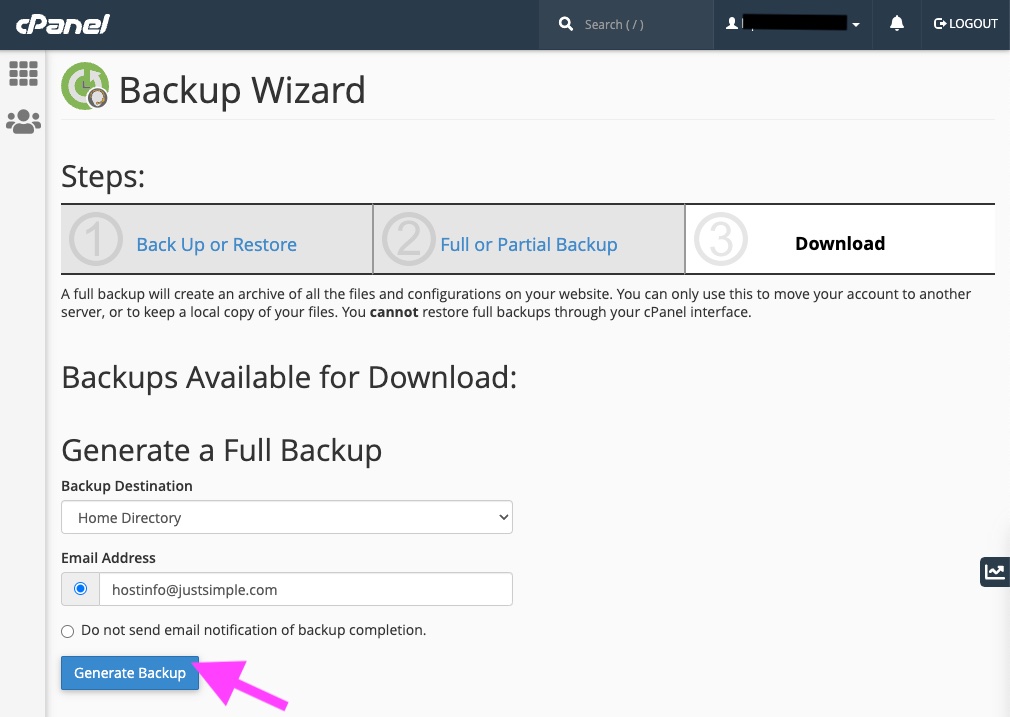
In Step 3, click Generate Backup.
The Backup Wizard will create a backup file and leave it at the specified backup destination. Please note that the Backup Wizard may return you to the cPanel before the backup is complete. If you provided an email address in the steps, you will be notified when your backup is ready to be downloaded.