If you believe that your email has been banned, you should use an email blacklist checker, which is a software tools that allows you to quickly check email blacklists with only a few clicks.
How to Check Email Blacklist Databases with MXToolBox
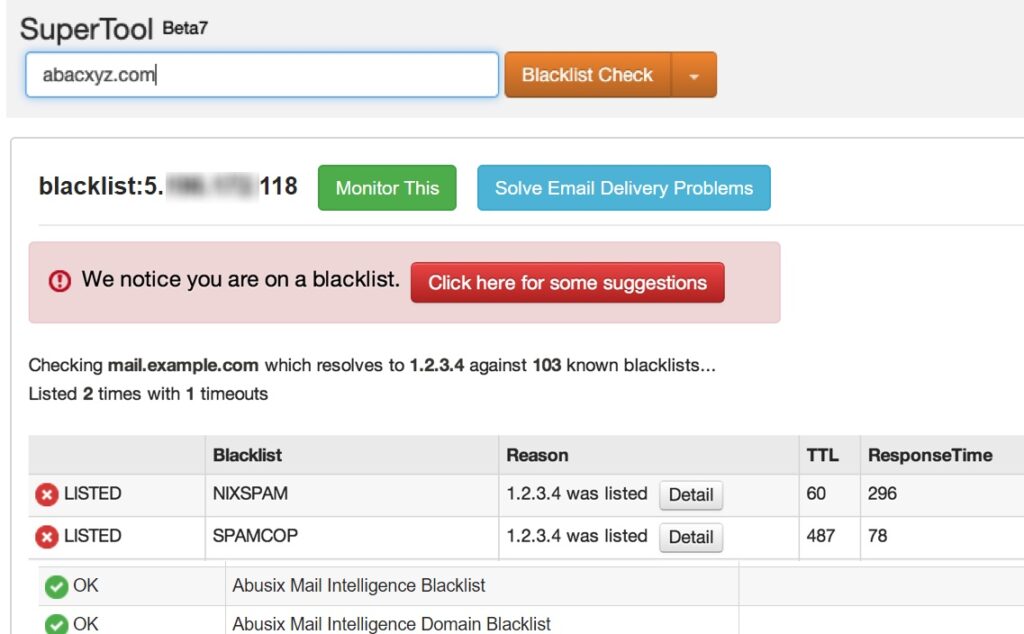
This is how you can check your email address with MXToolBox:
- Go to https://mxtoolbox.com/blacklists.aspx
- Enter your server IP or domain name and click the “Blacklist Check” button to perform an email blacklist check.
- After a few seconds, you should see a long list of popular email blacklists with status messages right next to them. If all blacklists display the “OK” message, your email address isn’t blacklisted.
What caused emails to be blacklisted?
Email addresses, or more precisely email addresses, are blacklisted for a variety of reasons, including hacking, spoofing, and, most crucially, spam distribution.
How to prevent blacklisting?
Email addresses are blacklisted for a variety of reasons, including hacking, spoofing, and, most crucially, spam distribution.
It is always preferable to prevent than than cure. It will be extremely difficult to de-list once your domain name or IPs have been blacklisted, so it is recommended that you avoid making any spamming and make sure keep your email password secured, keep you computer with latest anti virus, so to avoid account being hacked, etc.
My Domain or Email has been blacklisted. What should I do?
If your email is being blacklisted, JustSimple is unable to help with blacklists that directly target your domain or local machine IP address.
With shared and vps hosting, all email is routed through common gateways shared by the entire server. These gateways are rotated regularly to ensure that clean IP addresses are being used to send your email.
Our datacenter and network partner actively manages these gateways, removing them from blacklists and directly addressing any issues on our shared servers which may cause them to become blacklisted.
If you still have any questions, please write to us: support@justsimple.com